
Slack is a platform for team communication: everything in one place, instantly searchable, available wherever you go.
We are big fans of Slack and believe that it is an effective tool for connecting the team with realtime chat and updates from the services they depend on. We believe it is a great companion service to MantisHub with a great free plan to get MantisHub users started.
Setting up Mantishub + Slack Integration
Setting up Slack integration with MantisHub is pretty easy. Start with creating an incoming webhook integration in Slack and use the provided webhook URL to include the MantisHub plugin settings.
Select “Configure Integrations” from Slack
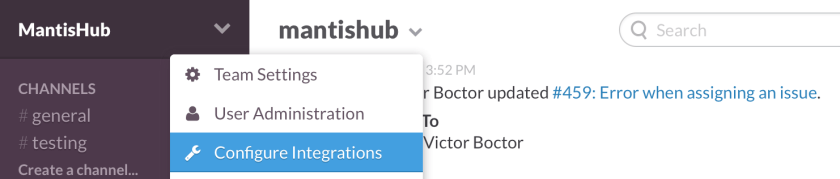
Select “Incoming WebHooks” as the integration type. Then following the steps until Slack provides the webhook url. Copy the URL and save the integration details.

Go to Manage – Manage Plugins – click install button next to Slack then click on the Slack hyperlink. This will prompt the form below to provide the Slack incoming webhook URL, select the native and custom fields to include in the Slack notifications (assuming they are not empty) and map project names to Slack channels. If a project is mapped to an empty channel name, then notifications will be disabled for that project. Default channel will be used for new projects created in the future, unless they are explicitly mapped via the same form.

Testing the Slack integration
Once done configuring the integration from both Slack and MantisHub sides, use the “Update and Test” button which will trigger a Slack notification like the one below in the default channel.

Sample Notifications
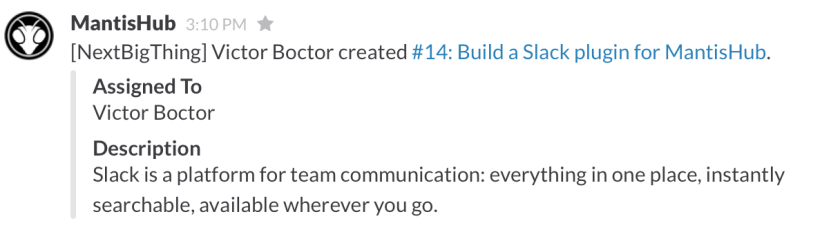
This is a sample notification when an issue is created:
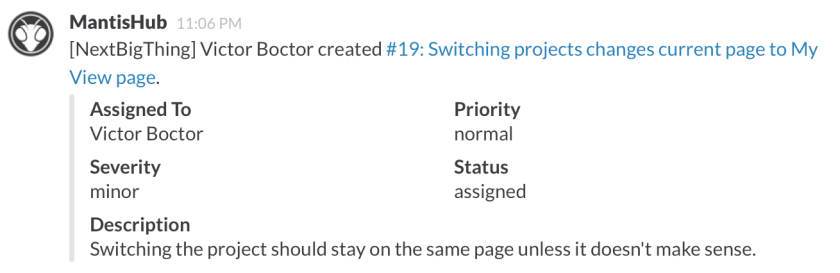
Another issue creation sample with more fields selected to be included:
This is a sample notification when a team member assigns an issue to themselves:

This is a sample notification when a team member assigns an issue to another team member:


This is a sample notification when a user adds a private note:



 “Toggl’s time tracker is built for speed and ease of use. Time keeping with Toggl is so simple that you’ll actually use it.”
 MantisHub